Data Requirements
This is the most important page for avoiding setup issues.
General rules:
- Input must be CSV or TSV.
- Required identifiers for data tables:
Gene_Name,Gene_ID,Protein_ID - Datapoint columns should end with an integer replicate suffix using underscore.
- Identifier columns should not contain missing values.
- Table name format:
<species>_<datatype>_<optional info>_<id> - Phosphoproteomics requires
pepG. - Processed objects should match the same raw-column selection used in BRIDGE.
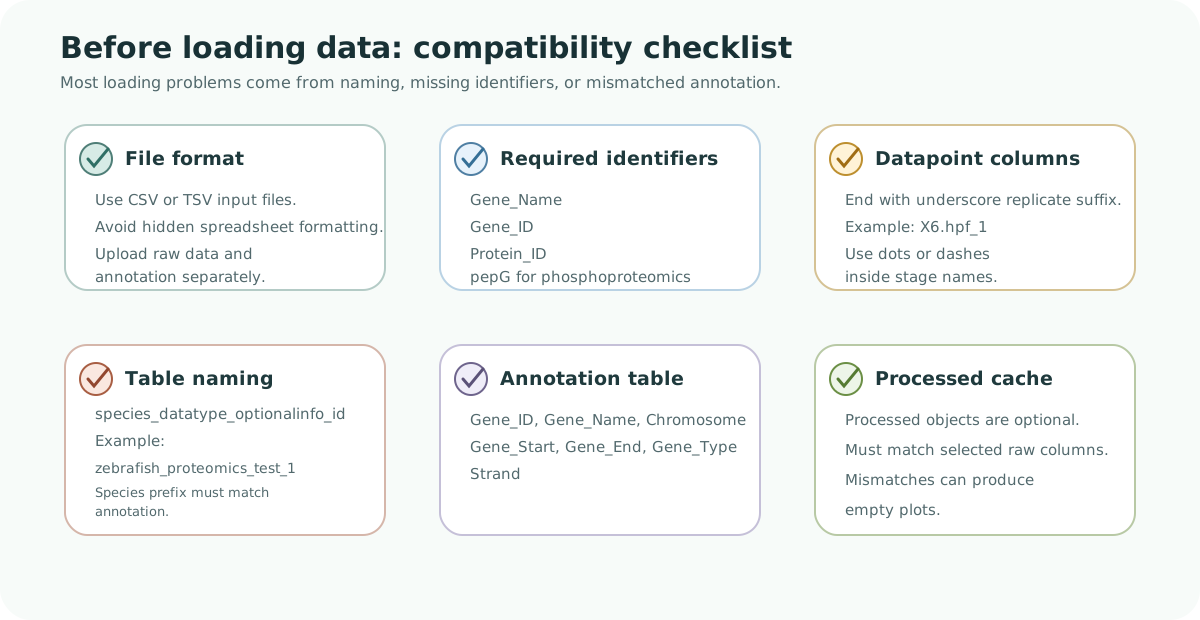
Requirements figure. A BRIDGE-compatible dataset needs a supported file format, required identifier columns, correctly named datapoint columns, consistent table naming, matching annotation, and compatible processed cache objects if those are provided.
Help: how to use this checklist
Before troubleshooting the app, check the dataset against this diagram from left to right. Most loading and empty-plot issues come from missing identifiers, table names that do not match the selected species, annotation metadata problems, or datapoint columns that do not follow the replicate suffix pattern.
Datapoint naming example:
X6.hpf_1
Avoid extra underscores in datapoint names. Use dots or dashes for additional separators.
Data table naming example:
zebrafish_proteomics_test_1
Annotation table naming:
<species>_annotation_<version>
Example:
zebrafish_annotation_GRCz11
Required annotation columns:
Gene_IDGene_NameChromosomeGene_StartGene_EndGene_TypeStrand
Quick validation checklist:
- Identifier columns exist and are non-empty.
- Phosphoproteomics includes
pepG. - Table names follow required format.
- Species prefix matches between data and annotation tables.
- Datapoint columns follow replicate naming pattern.